IPv6 and DNS Leaks with System Proxy and TUN Mode in VPN
Problem
When using Claude and Claude Code via VPN in regions where Claude is restricted, such as China, the following issues arise:
| System Proxy | TUN Mode | Claude Web | Claude Code |
|---|---|---|---|
| ✅ | ❌ | ✅ available | ❌ not available |
| ❌ | ✅ | ❌ not available | ✅ available |
| ✅ | ✅ | ✅ available | ✅ available |
It makes sense that Claude Code becomes unavailable without TUN mode, since the terminal needs TUN for proxying — but why does the Claude web app stop working when only TUN mode is enabled? In theory, TUN should be proxying all traffic.
Analysis
Checking IP and DNS status on ipleak.net revealed the following:
-
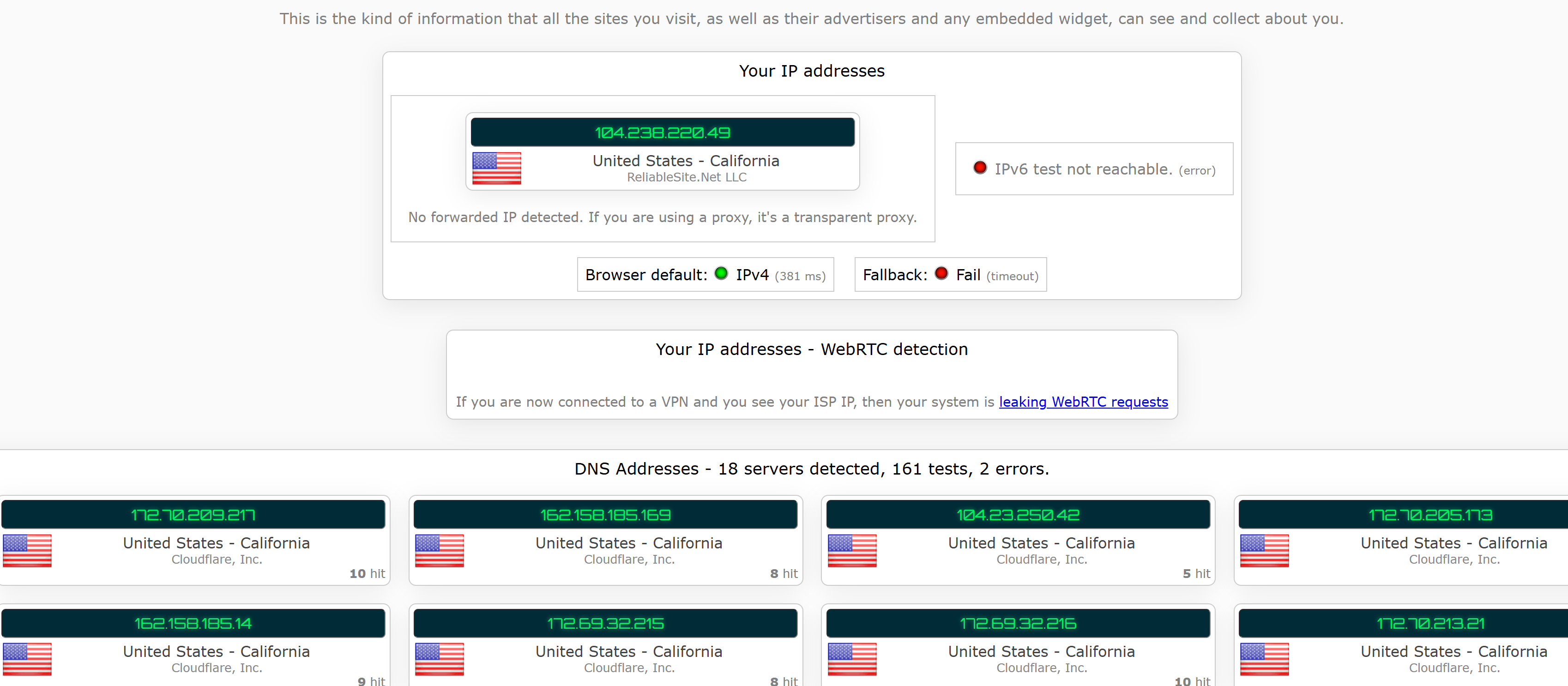
With system proxy enabled, IPv4 and DNS are proxied correctly, while IPv6 is blocked.
-
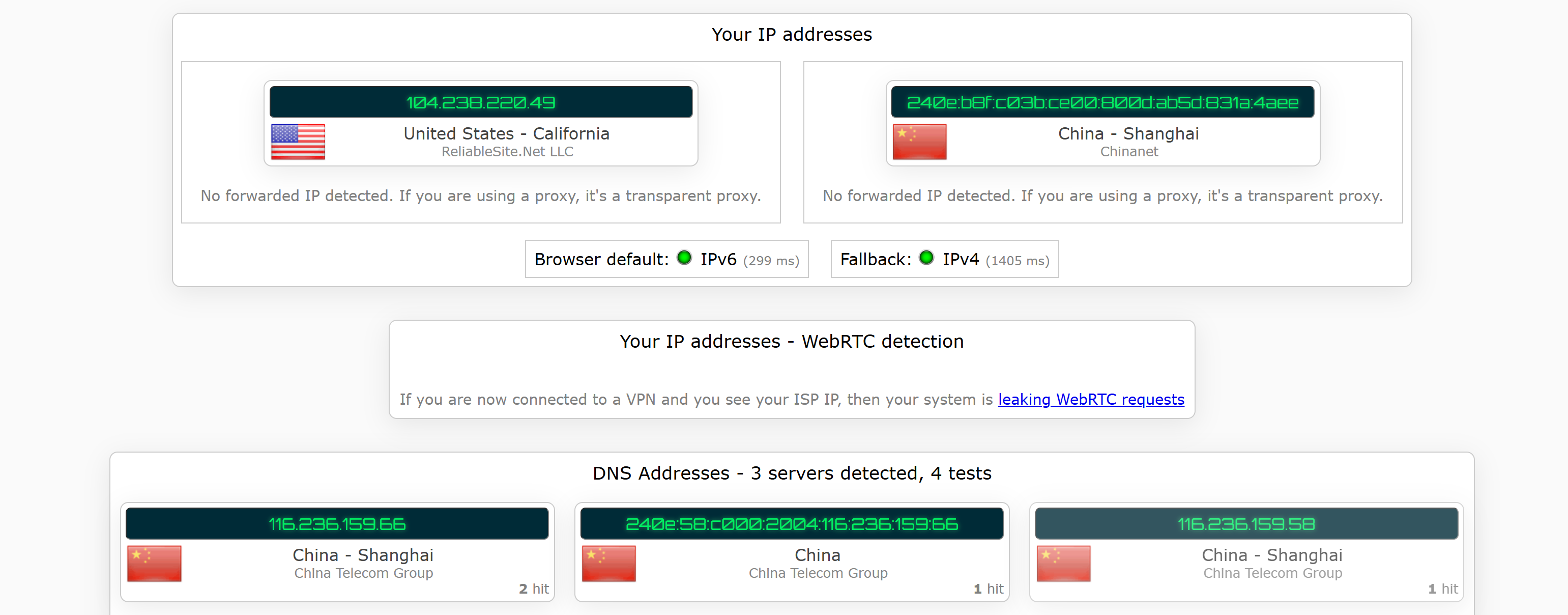
With only TUN mode enabled, IPv4 is proxied, but IPv6 and DNS still show the original IP.
Conclusion
The root cause appears to be that TUN mode does not proxy IPv6 traffic and also does not block it, resulting in IP and DNS leaks. Therefore, when only TUN mode is active, the Claude web app detects an incorrect IPv6 address and becomes inaccessible.
The question remains as to why TUN fails to proxy IPv6 — it may be a misconfiguration, or IPv6 simply may not be proxied by design. Regardless, the simplest workaround for now is to enable both system proxy and TUN mode simultaneously.